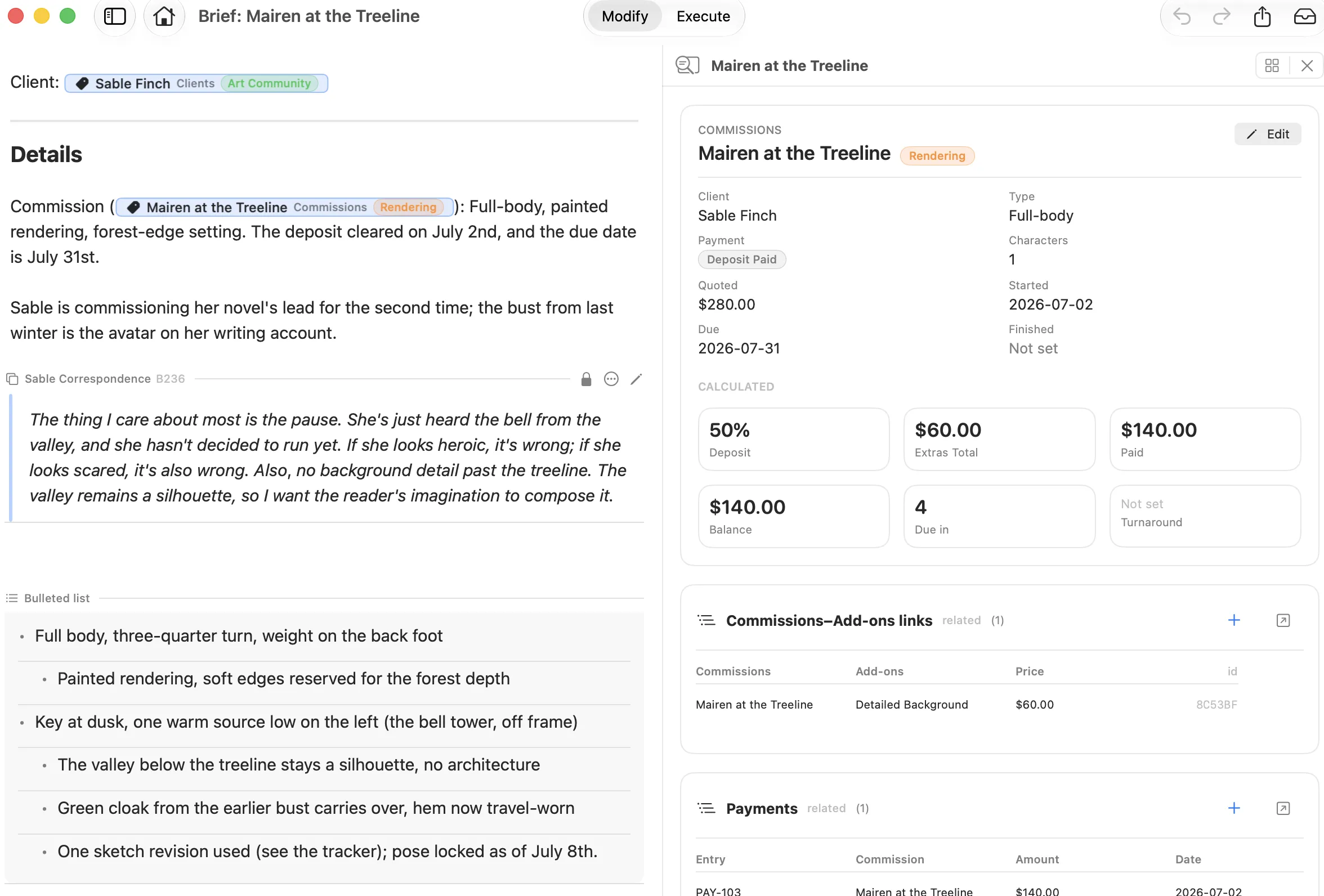
Modify keeps you writing in prose. Execute turns the same notes into a real relational database. Create a table, then mention its rows in a document, and you are using both at once.
Modify
Write in prose, with everything linked.
Modular Text Editing
Build documents out of MODs, reusable blocks you can collapse, lock, move, or sync across documents.
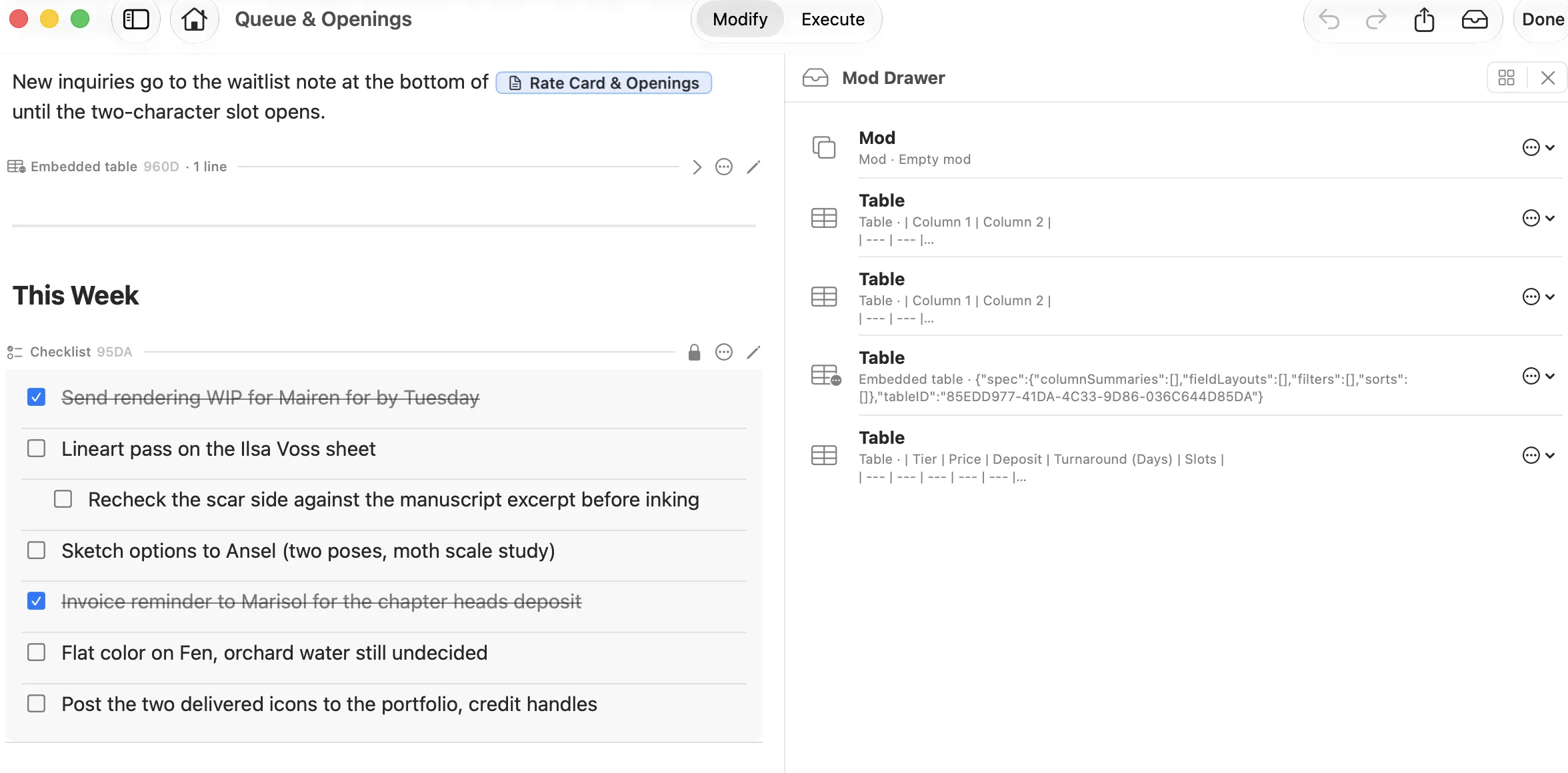
The Mod Drawer
Stash any MOD, then insert or sync it into another document whenever you need it.
Every block is a MOD
Checklists, tables, and embedded live tables each carry their own header and controls.
Lock what should not change
A locked MOD stays put while the rest of the document keeps moving.
Fig. 1 A checklist MOD in the document, with the Mod Drawer open beside it holding saved MODs and tables.
Dual Document Editing
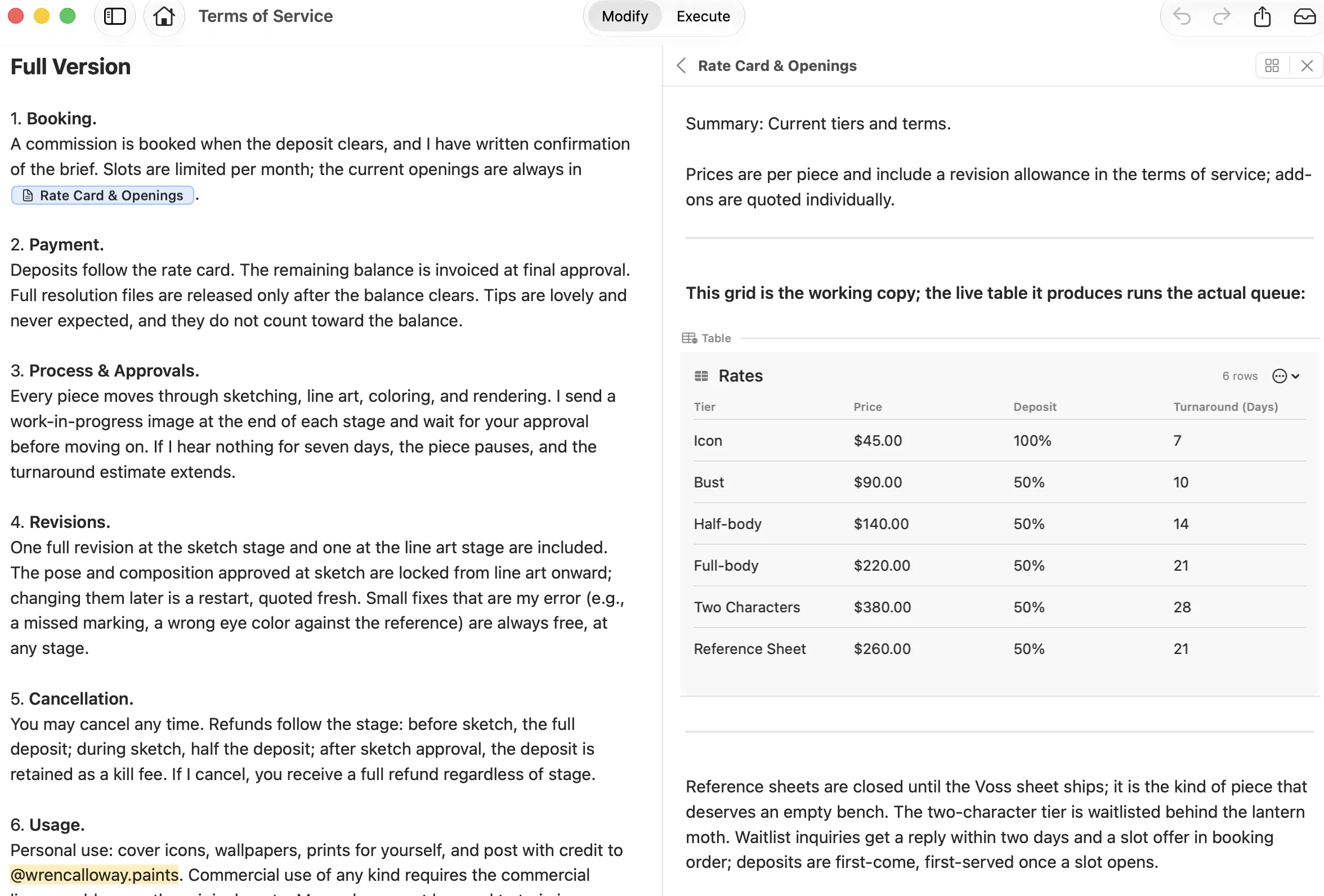
Tap a navigation chip and the document it points to opens beside your current one in the adaptive Sidebar Companion. Read, reference, or edit both without leaving either.
Open from a chip
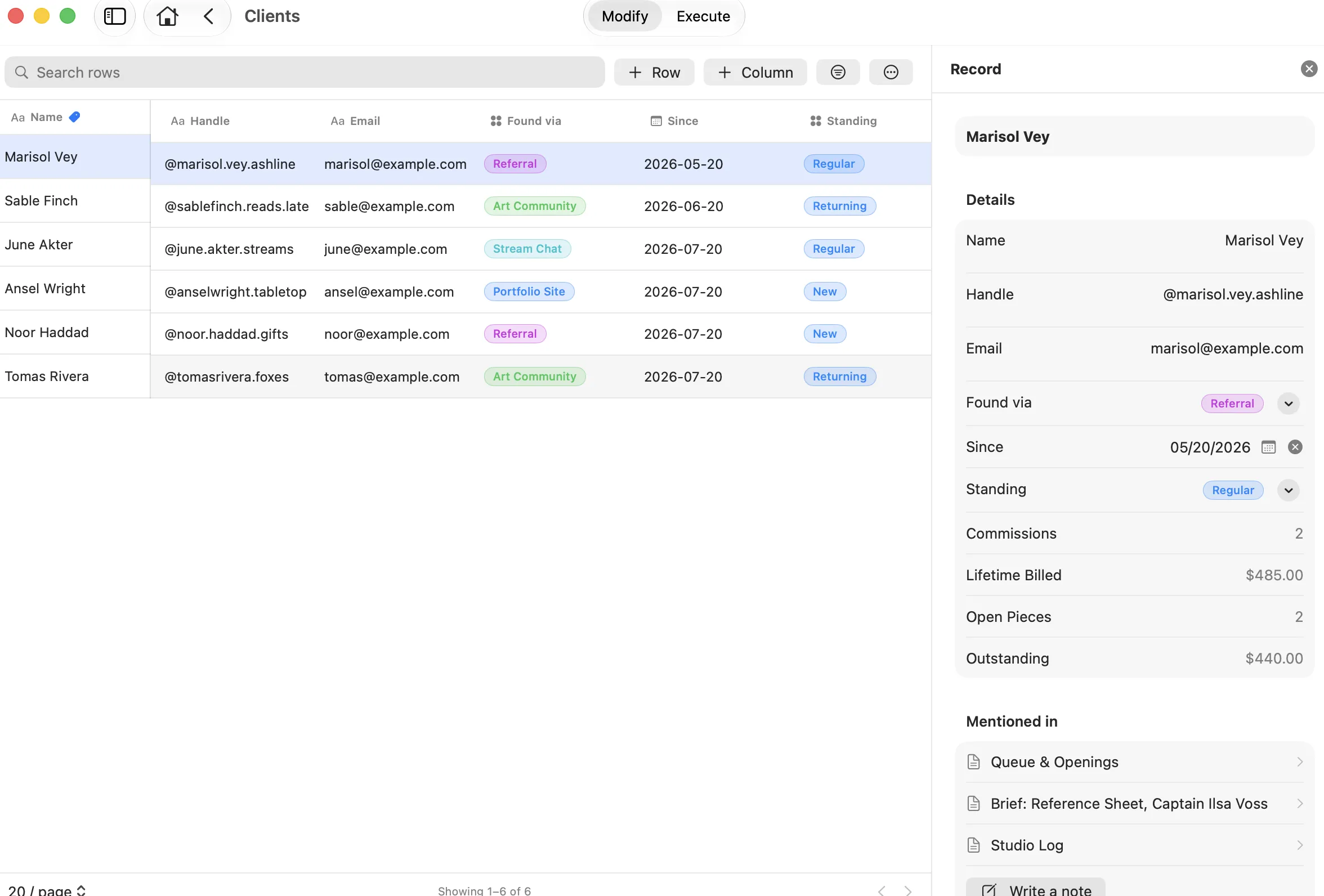
Navigation chips open a document; relational chips open the record they point at.
Both sides stay live
Read, reference, or edit either one without leaving the other.
Adaptive
A side panel on Mac and iPad, a sheet over the document on iPhone.
Fig. 2 Terms of Service on the left, with Rate Card & Openings open beside it in the Sidebar Companion.
Handwriting
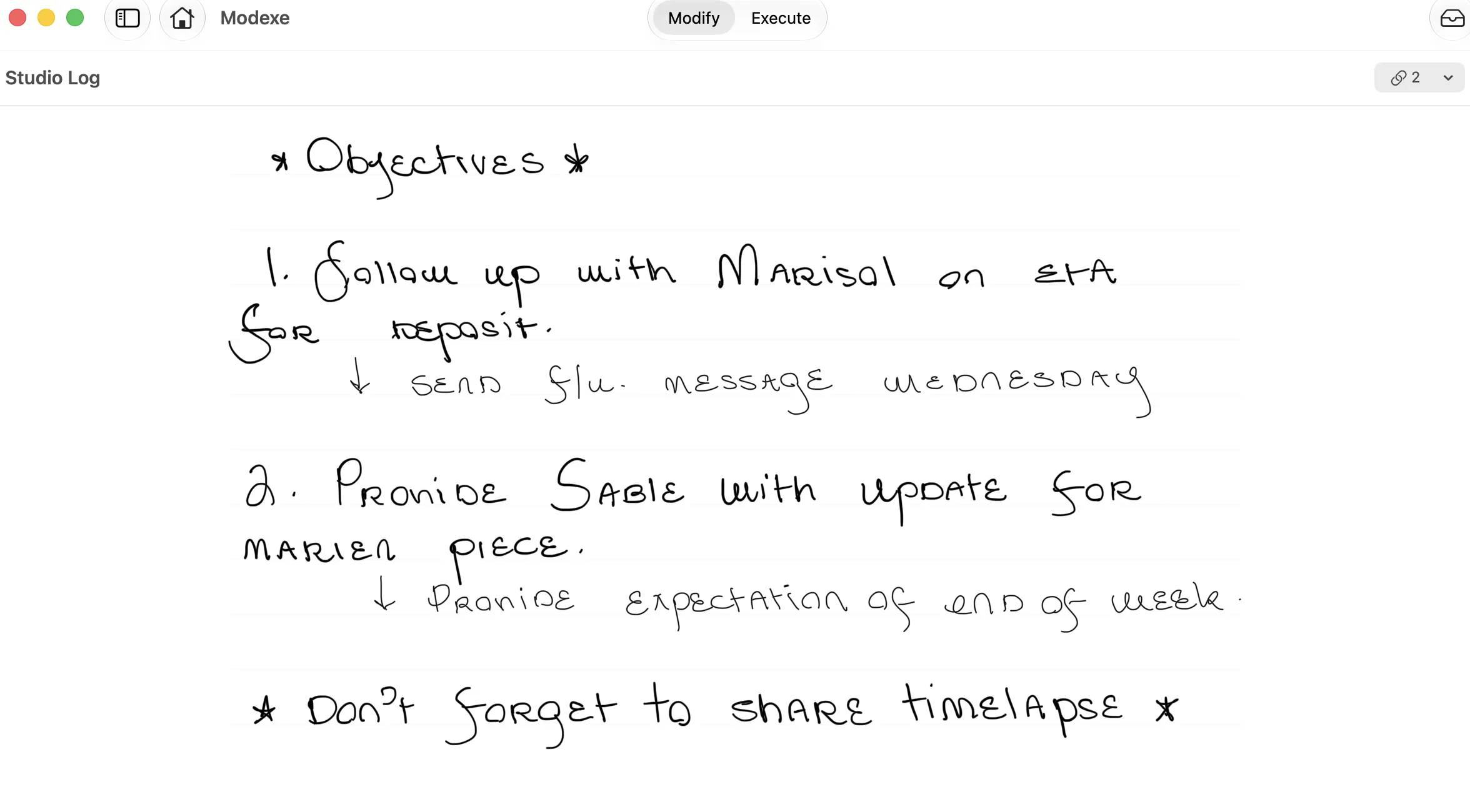
Write by hand with full Apple Pencil support on iPhone and iPad. A handwritten page is a real document, so it links to your records too.
Inline Chips
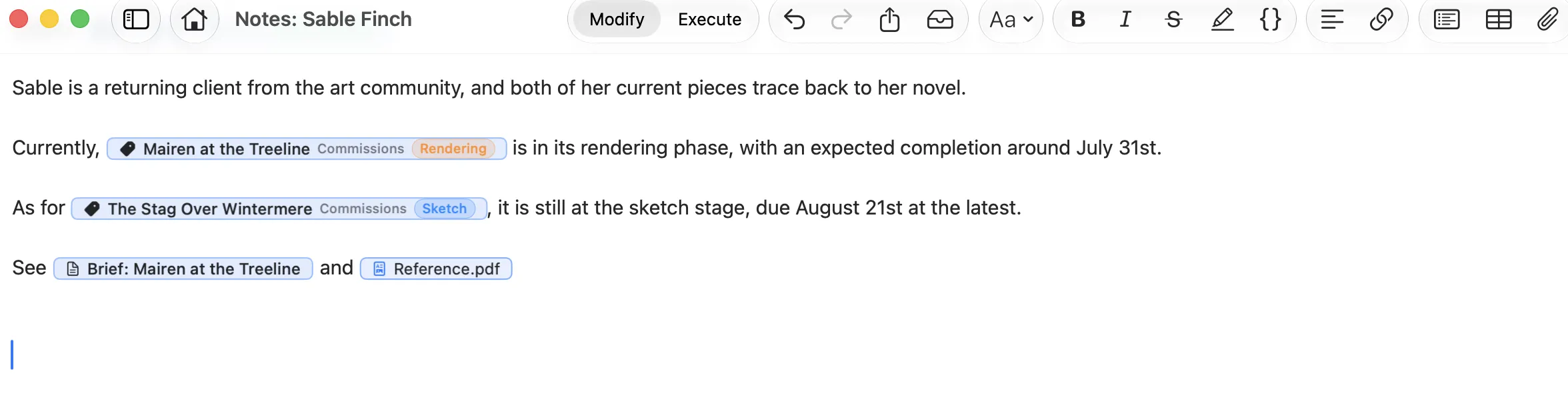
Relational chips stay in sync with a record, navigation chips open another document alongside, and attachment chips hold your files.
Execute
Your notes, as a real database.
Create a Table Your Way
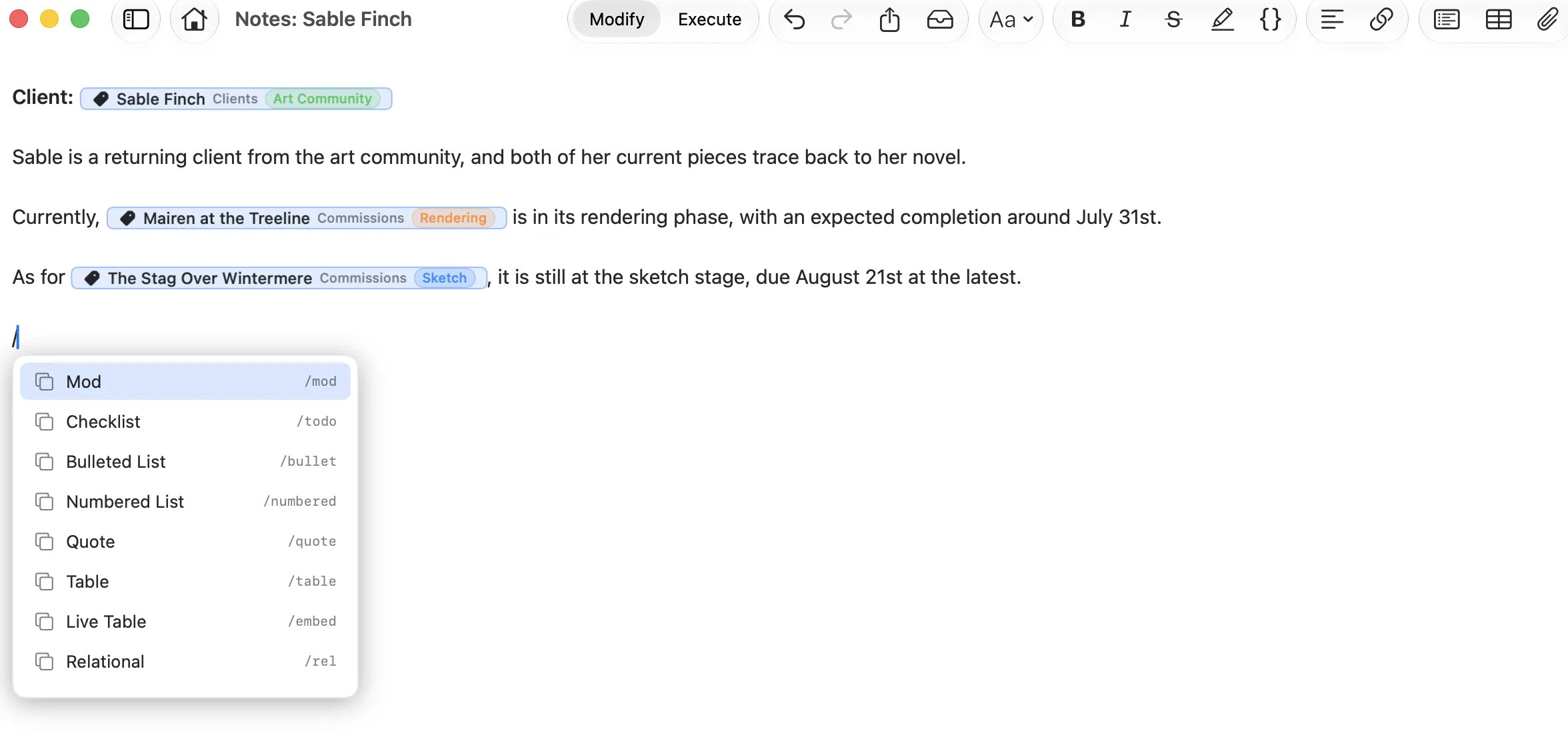
Start in the Table Admin UI, call a table from the slash menu, convert a table you already jotted in a document, or import a CSV.
From the slash menu
Type a slash in any document, then pick Table or Live Table.
From the Table Admin UI
Build the table first, then call it wherever you need it.
From what you already have
Convert a table you jotted in a document, or import a CSV.
Fig. 3 The slash menu in a document. Table and Live Table are two of the four ways into a table.
Smart Column Creation
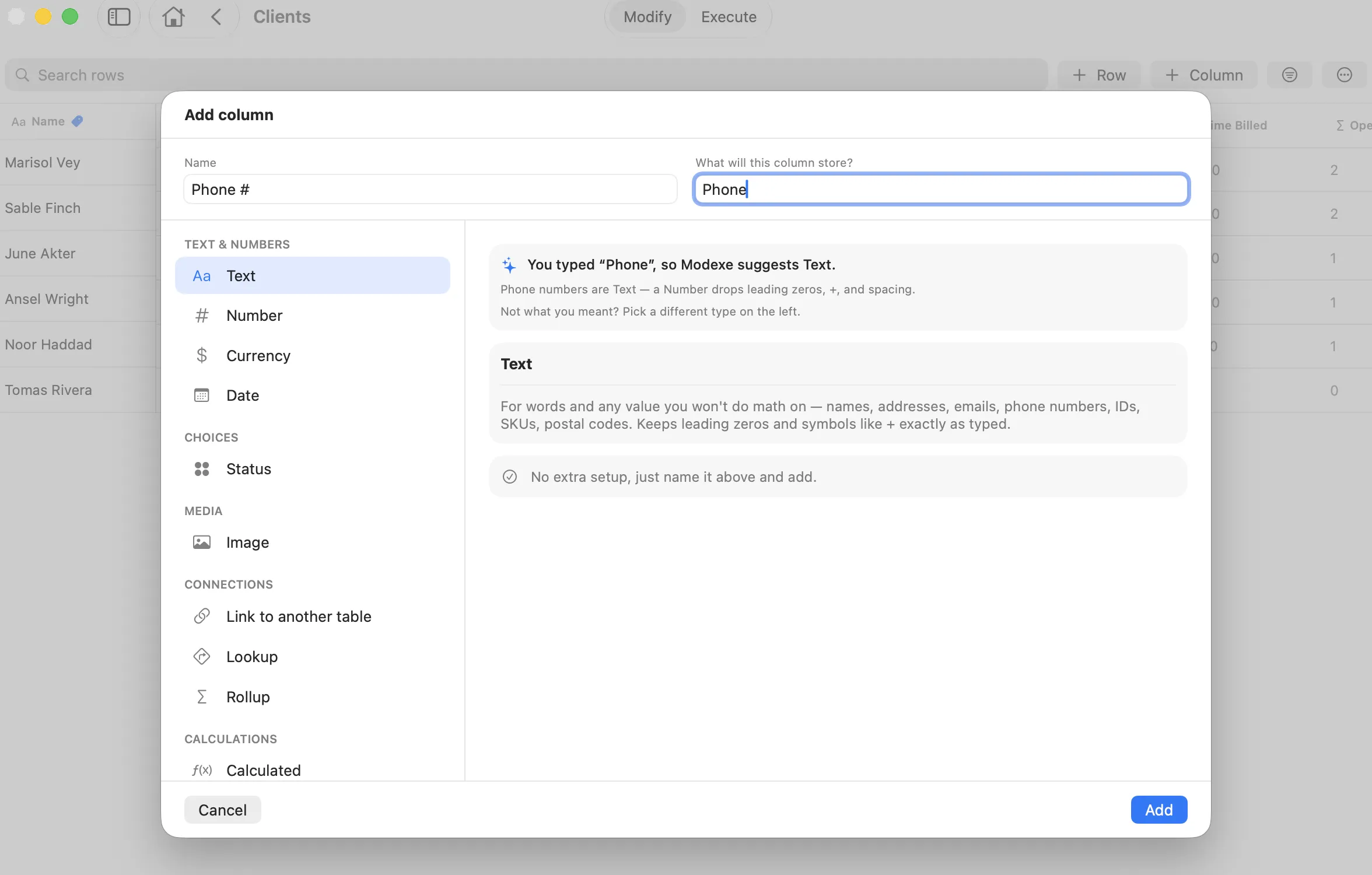
Say what the column stores in plain words and Modexe suggests the right type, with the reason why. Converting a table or importing a CSV, it reads your values instead.
Say what it stores
Type "phone" and Modexe suggests Text, with the reason why.
Or it reads your values
Converting a table or importing a CSV, the suggestion comes from the data.
Yours to override
The full type list stays on the left, so you can pick a different one at any time.
Fig. 4 The Add column dialog suggesting Text for a column called Phone #, and saying why.
Advanced Column Types
Link tables one-to-many or many-to-many, then roll values up across two hops, look them up, or calculate new ones.
Link tables
One-to-many or many-to-many, in either direction.
Roll up across two hops
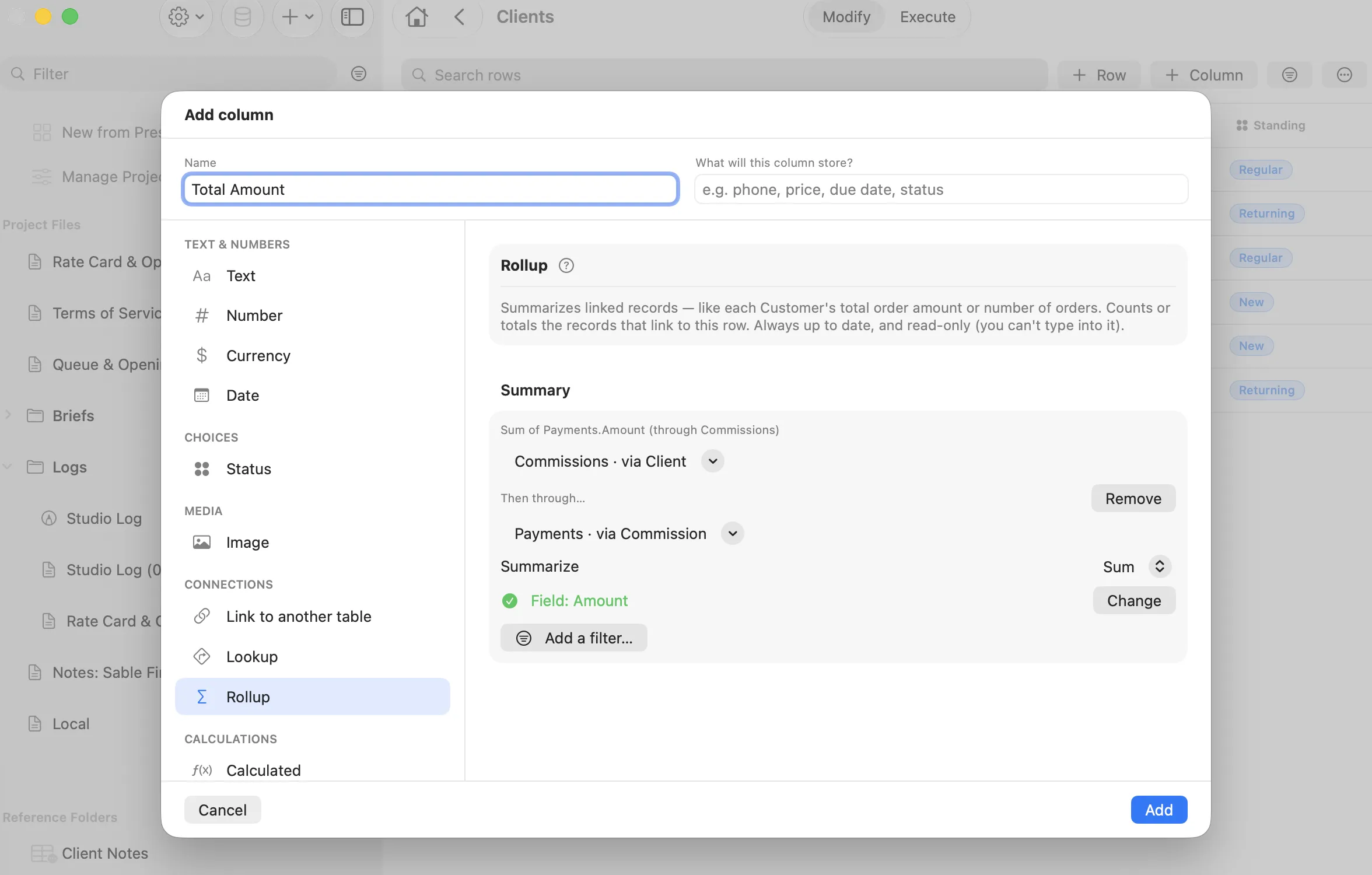
Sum Payments through Commissions to get a client total.
Look up and calculate
Pull a value straight from a linked row, or compute a new one.
Fig. 5 A Total Amount rollup summing Payments through Commissions, two hops out from Clients.
Views
Filter, group, and save any view you build. Flip the same rows to a board to move work through stages, or export them as a CSV.
Filter, group, save
Any view you build stays where you left it.
Flip to a board
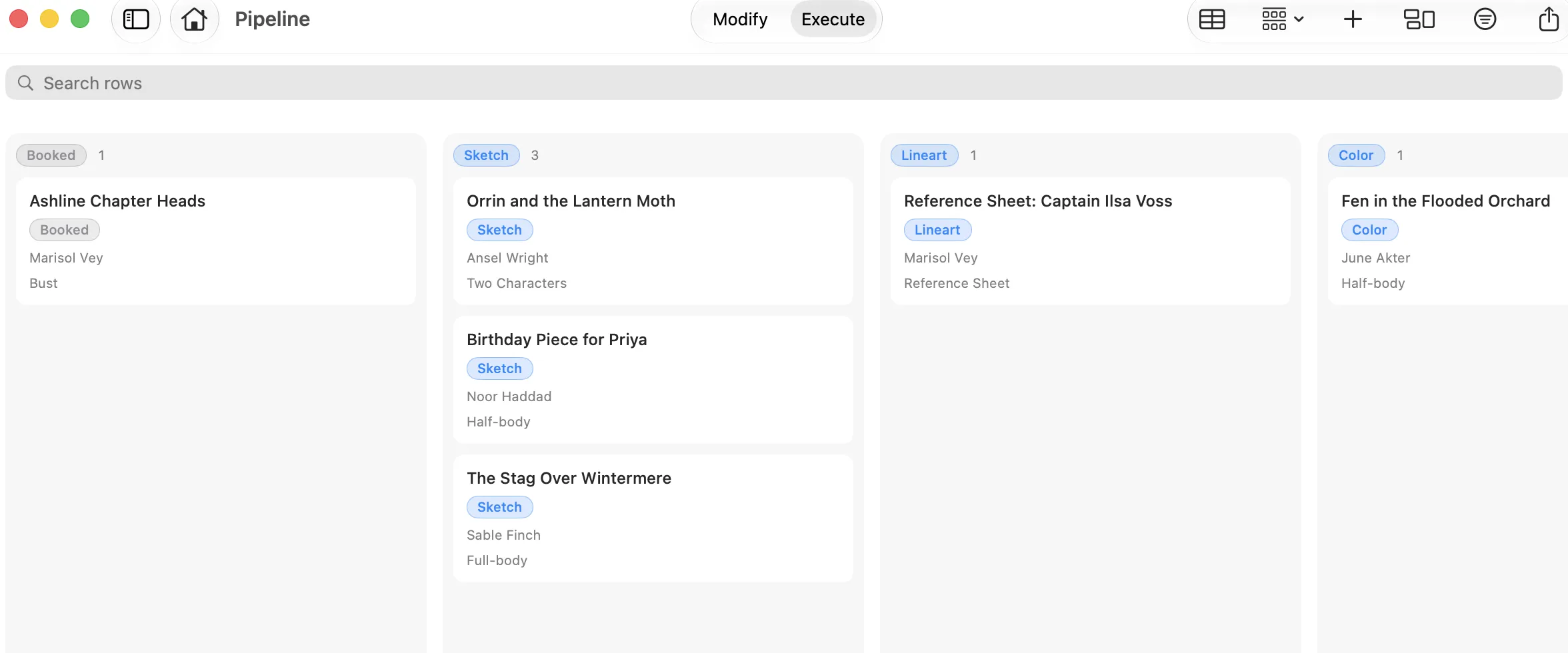
The same rows as columns by stage, moved across as work progresses.
Export as CSV
Take the rows with you.
Fig. 6 The Pipeline board: the same rows as the table, grouped by stage.
Presets
Start from a preset
Each preset builds the structure for a way of working: linked tables, saved views, boards, dashboards, document templates, and reference folders. You add the content.
Customer Management
Free
Customers, products, and orders, with per-customer spend rolled up from their orders.
Customers
Products
Orders
Order Items
3 tables · 1 linked · board
Creative Writing
Free
Locations, characters, arcs, and scenes. A drafting board, a character record page, and a scene count rolled up per arc.
Locations
Characters
Arcs
Scenes
4 tables · board · 4 templates
Education
Free
Courses, assignments, and tasks, with a per-course assignment count and an assignment board.
Courses
Assignments
Tasks
3 tables · board · 1 template
Job Application Tracker
Free
Track applications by company through a status pipeline, with contacts and each company's industry.
Companies
Applications
Contacts
3 tables · board
Content Creation
Pro
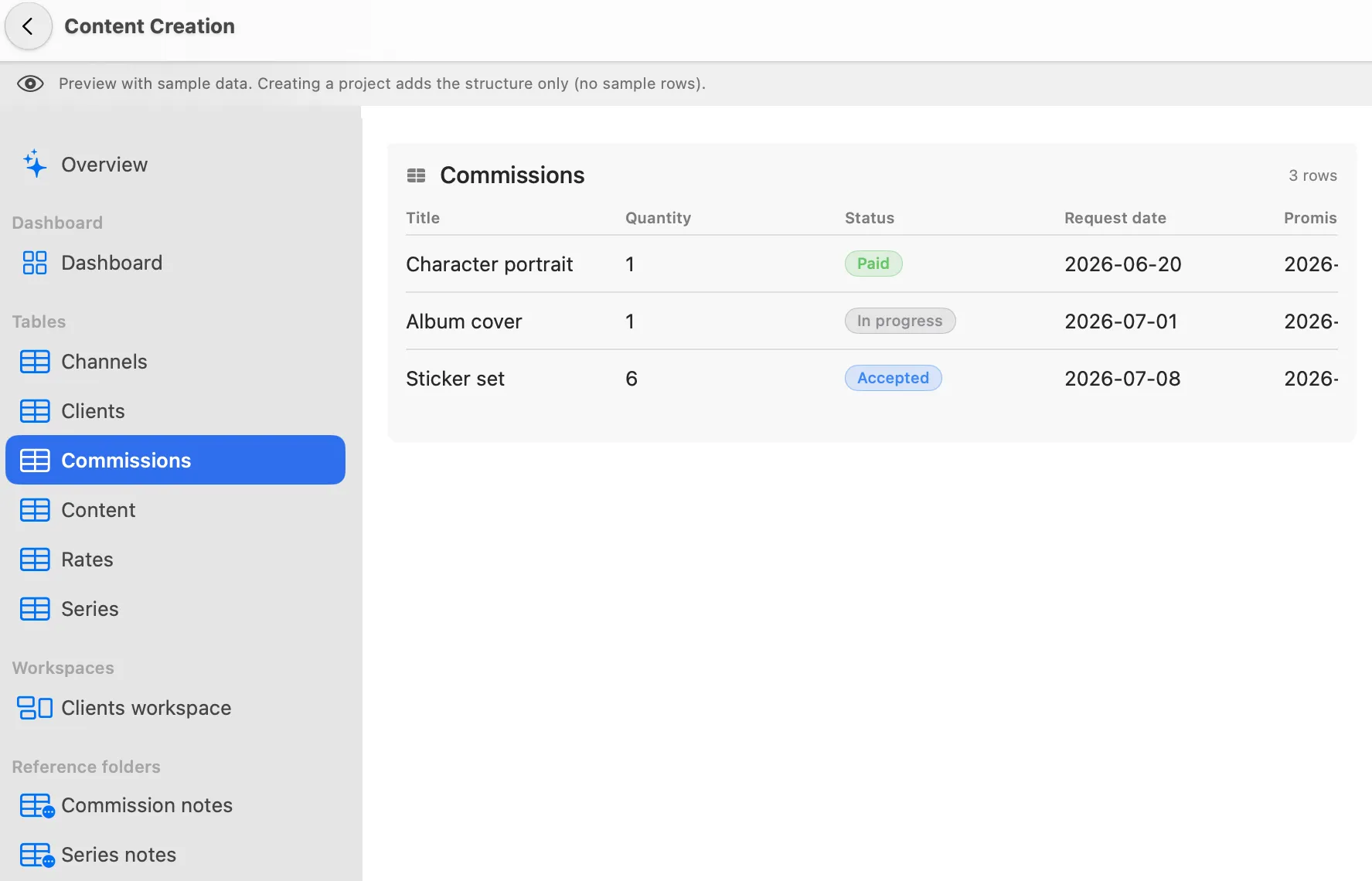
A creator's content pipeline and commission book in one place. A content board, a commissions board, base-rate lookups, and a turnaround that freezes when a piece ships.
Rates
Clients
Series
Channels
Content
Commissions
6 tables · 2 boards · dashboard
Worldbuilding
Pro
A full story bible. Locations, factions, characters, arcs, and scenes, with a drafting board, a character record page, and a dashboard tracking scenes still to write.
Locations
Factions
Characters
Arcs
Scenes
Items
Bonds
Scene cast
Character locations
7 tables · 2 linked · dashboard · 5 templates
CRM & Sales Pipeline
Pro
Companies, contacts, and deals with line-item value. A stage board, a days-since-last-contact counter, and a neglect list so no deal goes cold.
Companies
Products
Contacts
Deals
Deal Line Items
4 tables · 1 linked · dashboard
Maker Shop
Pro
Materials, suppliers, and products with a recipe for each piece. Material costs roll up per product and margin computes itself, so underpriced work surfaces.
Suppliers
Materials
Products
Product materials
3 tables · 1 linked · dashboard
Plus Client Work, Event Planning, Issue Tracker & Roadmap, and Advanced Education.
Preview any preset with sample data before you create it. Creating adds the structure only, so the rows are yours to fill.
Also in Modexe
MOD · MODIFY
Reference Folders
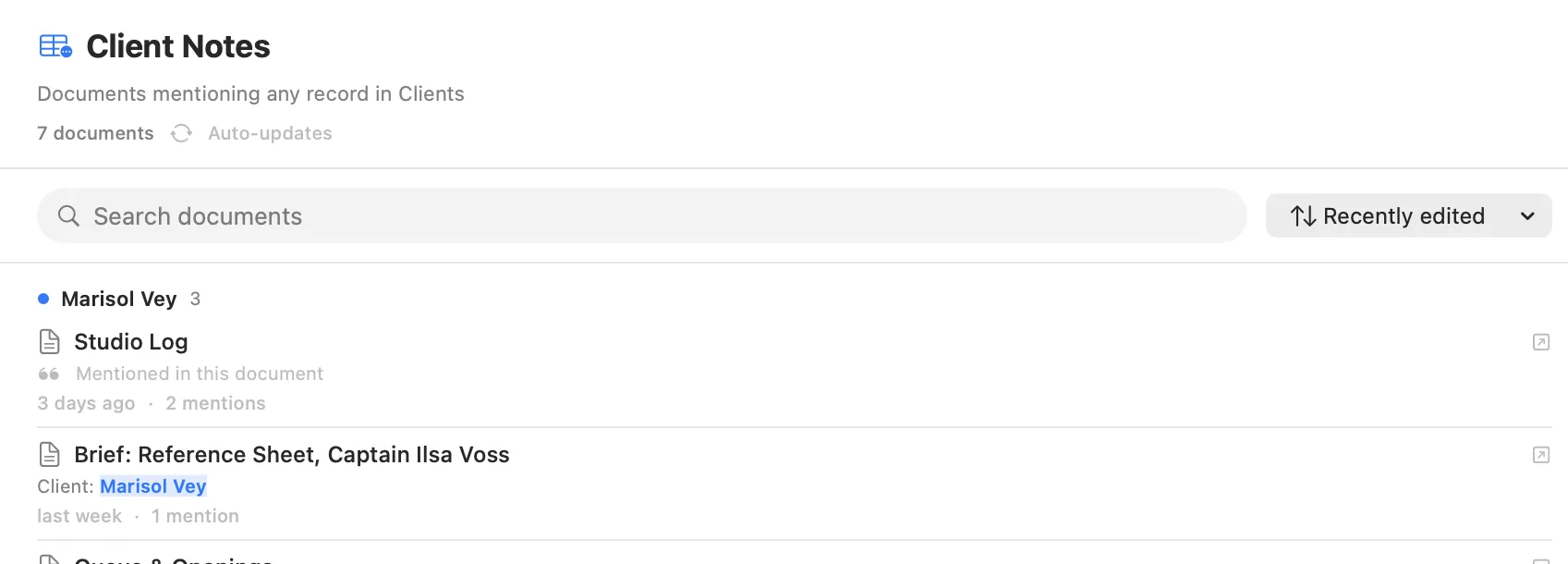
A folder that collects every document mentioning any record in a table, grouped by record and kept up to date for you.
EXE · EXECUTE
The Home Dashboard
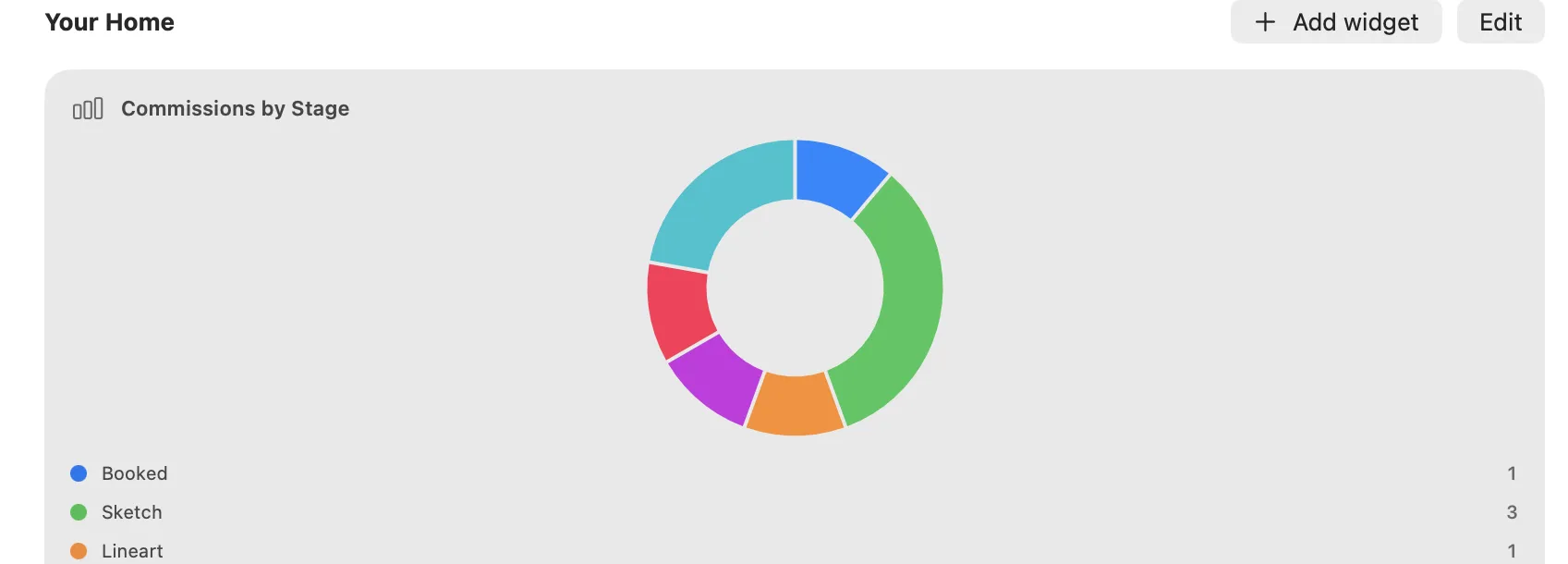
A stage chart over your rows, counts of what is overdue or due this week, and the documents to pick back up.